

Dashboard Complete
"If patience is the key, the place you’re looking for the answer should be the keyhole. They open new worlds together."This dashboard was a true practice in patience, trial and error, and learning in public. I’m teaching myself the full stack here, with no tutorials just official docs, Stack Overflow, and sheer stubbornness. Don’t get me wrong, tutorials are great for many people, but let’s be real: once you’ve learned how the web works under the hood, you get more out of putting in the legwork. Earning that "aha" feeling after hours of wrangling with a new framework Nothing better. What seemed impossible just a week ago became manageable by just getting my hands dirty and trusting the process. No overplanning, just starting and letting the design evolve organically.
Structure: Two Columns, Many Components
Left Sidebar (the "static anchor")
-
MyFinance Logo
Originally planned as a square. Five minutes in, slipped up and made it round turned out I love it that way, and kept the happy accident -
Sidebar Navigation
Below the logo, a clean navigation list for all pages in the app. It highlights the active page and reacts on hover or click.

-
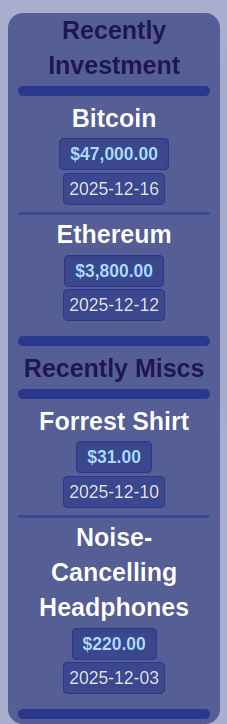
Recently Invested and Misc List
Shows most recent investments by date.
Displays "misc" purchases and their totals for the month.
(Note: I noticed I'm accidentally showing trade prices directly my planned structure was different. Adding a fix for that on my to do)
Both live inside the same container, built for reusability but visually pleasing.
The Main Content (the "dynamic hub")
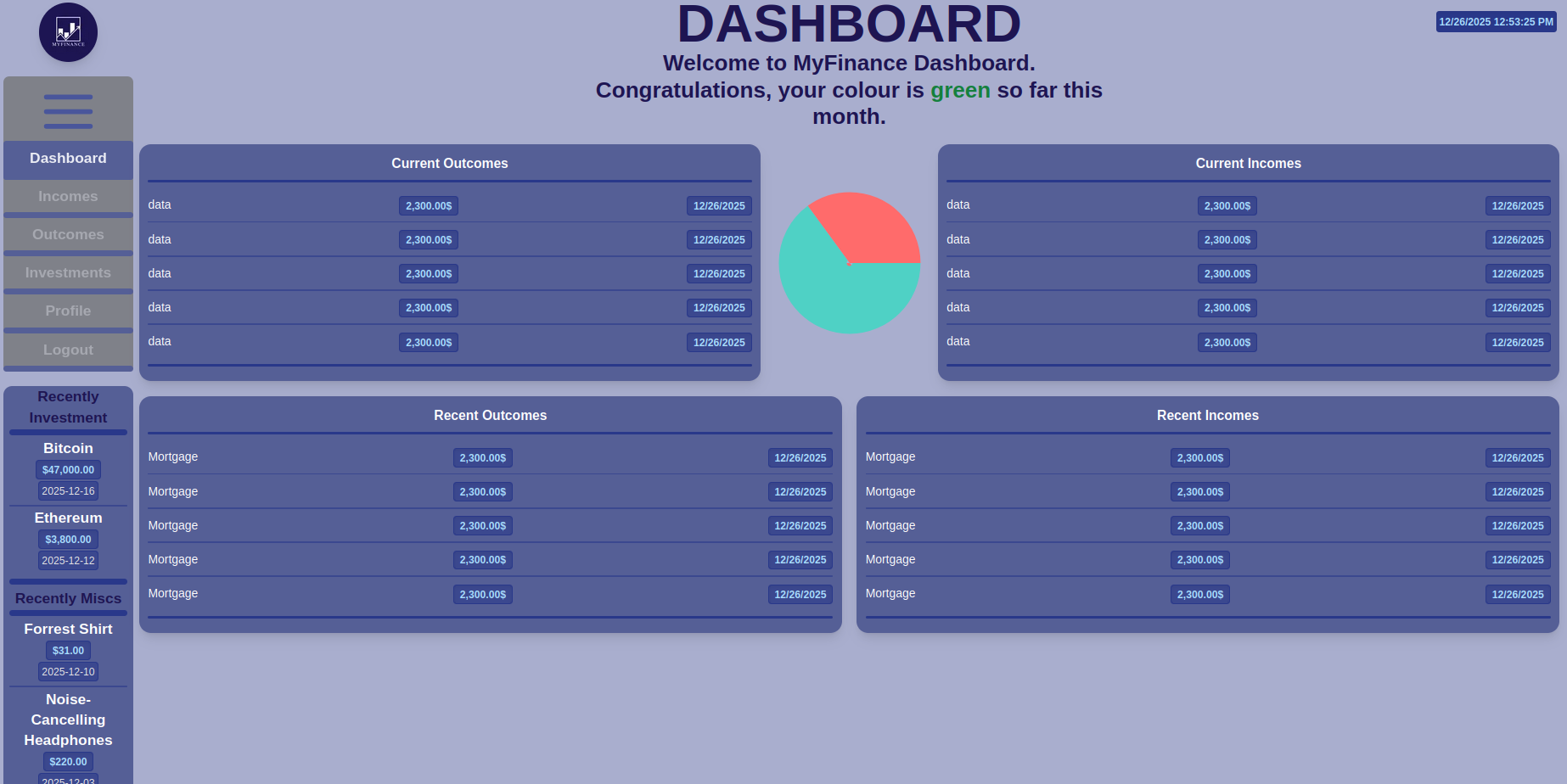
Header and warm welcome message to users.

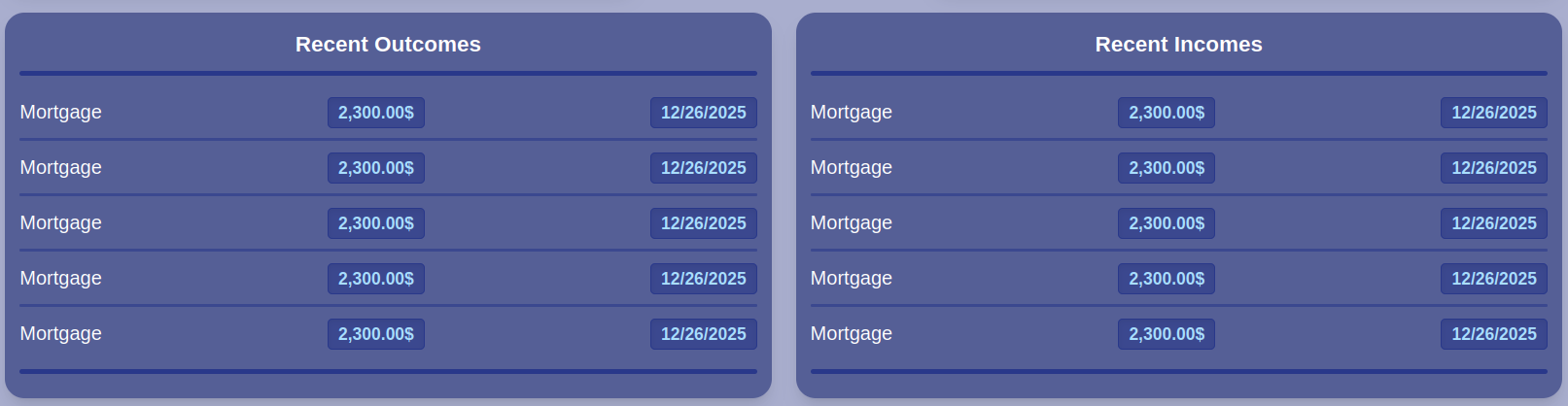
One reusable component, four different data uses (current outcomes, current incomes, recent outcomes, recent incomes).
Data includes: name, amount, date simple yet effective.
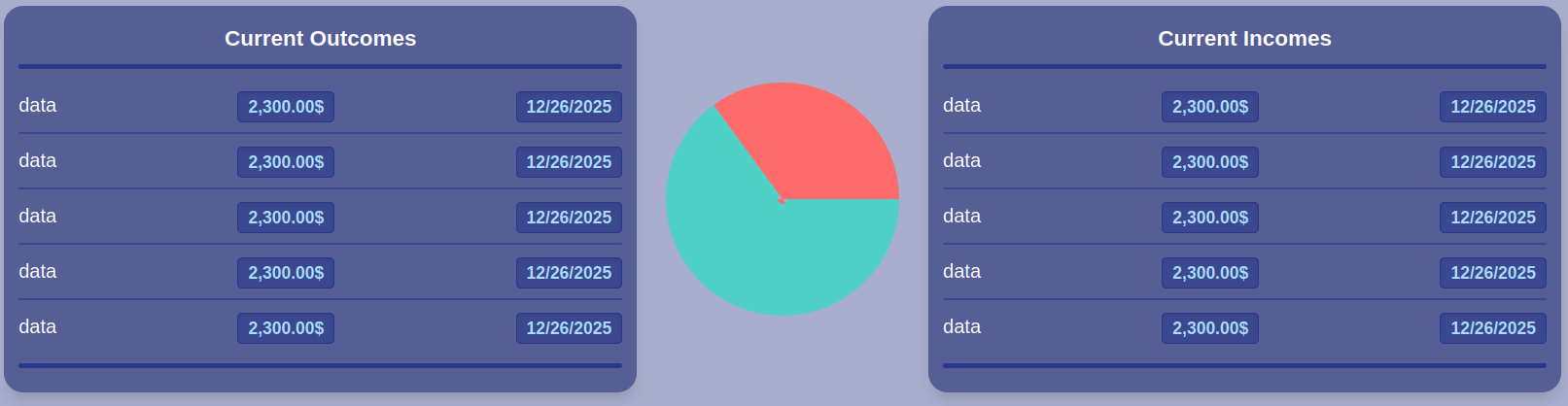
I’ll be honest I didn’t hand code this from scratch. I leaned on AI help to quickly build a dynamic pie chart. Sometimes, time is better spent on broader logic rather than chart SVG parsing. The result Something beautiful and informative.

Extra
Realities of Learning Tailwind (vs. Plain CSS)
The breakthrough: After my first finished component, the rest came together way more quickly. Like learning any language, once the vocabulary clicked, fluency followed. I’m not anti Tailwind, just cautious
It really does speed up building UIs and maintaining consistency, especially for teams or fast iteration. But I still see value in knowing plain CSS deeply. In my blog post, I dig into the tradeoffs
Tailwind CSS: Pros and Cons
Speed Build layouts faster by composing utility classes; changes update in real time.
Consistency Enforces a design system via config and tokens.
Responsive by Default Mobile first breakpoints are straightforward.
Component Driven Encourages reusable UI blocks.
Scoped Styles No fear of class name collisions. Cons
Steeper Learning Curve at First Need to memorize new class patterns (or consult docs frequently)
Messy Looking Markup HTML or JSX can get cluttered, especially for complex designs.
Can Obscure CSS Fundamentals New devs might never learn the "why" behind the layout.
Requires Tooling Not as portable as raw CSS without build setup.
Less Control (sometimes) For highly custom animations or edge cases, you still need to drop into custom CSS.
Plain CSS: Pros and Cons
Universal and Timeless No build tools required; works everywhere.
Deep Understanding Forces you to really learn layout, specificity, and inheritance.
Total Control No abstraction in the way of unique or advanced design needs.
Simple Markup Cleaner HTML or JSX. Cons
Slower for Prototyping Must write or select classes for every style.
Risk of Spaghetti Large projects get messy without strong naming conventions or BEM/OOCSS.
Class Name Fatigue Naming everything is both art and burden.
No Built in Responsive Utilities Need to write media queries by hand.
Easier to Introduce Bugs Specificity wars, global side effects.
Closing Thoughts
Finishing up the UI for all main pages (incomes, outcomes, investments, profile)
Getting deep into server side Next.js and PostgreSQL
More reusable components, more data, and more transparency Thanks for reading
Leave a comment if you’ve wrestled with Tailwind vs. CSS, or if there’s a UI or UX puzzle you think I should tackle next. Stay warm, and keep building #Nextjs #TailwindCSS #PostgreSQL #WebDevelopment #MyFinance #LearningJourney #FullStack #IndieHacker #ReactJS #DashboardDesign #ProgressUpdate #CodingJourney