

Progress Update: Conquering Frontend Fears 🚀
Why I Didn’t Skip the Design Step
- Most critical decisions happen here: From how data should be structured, to what fields are actually needed, right down to choosing button styles and color palettes.
- Better design = better schemas: Laying out the UI made me revisit and finalize all my schema fields. Even though I started with a rough MVP schema, working on the screens showed me gaps and refinements I wouldn’t have spotted otherwise.
- Iterating visually fuels better workflows: Letting the design evolve alongside my data flow helped make the whole app more cohesive—not just in how it looks, but in how it works under the hood.
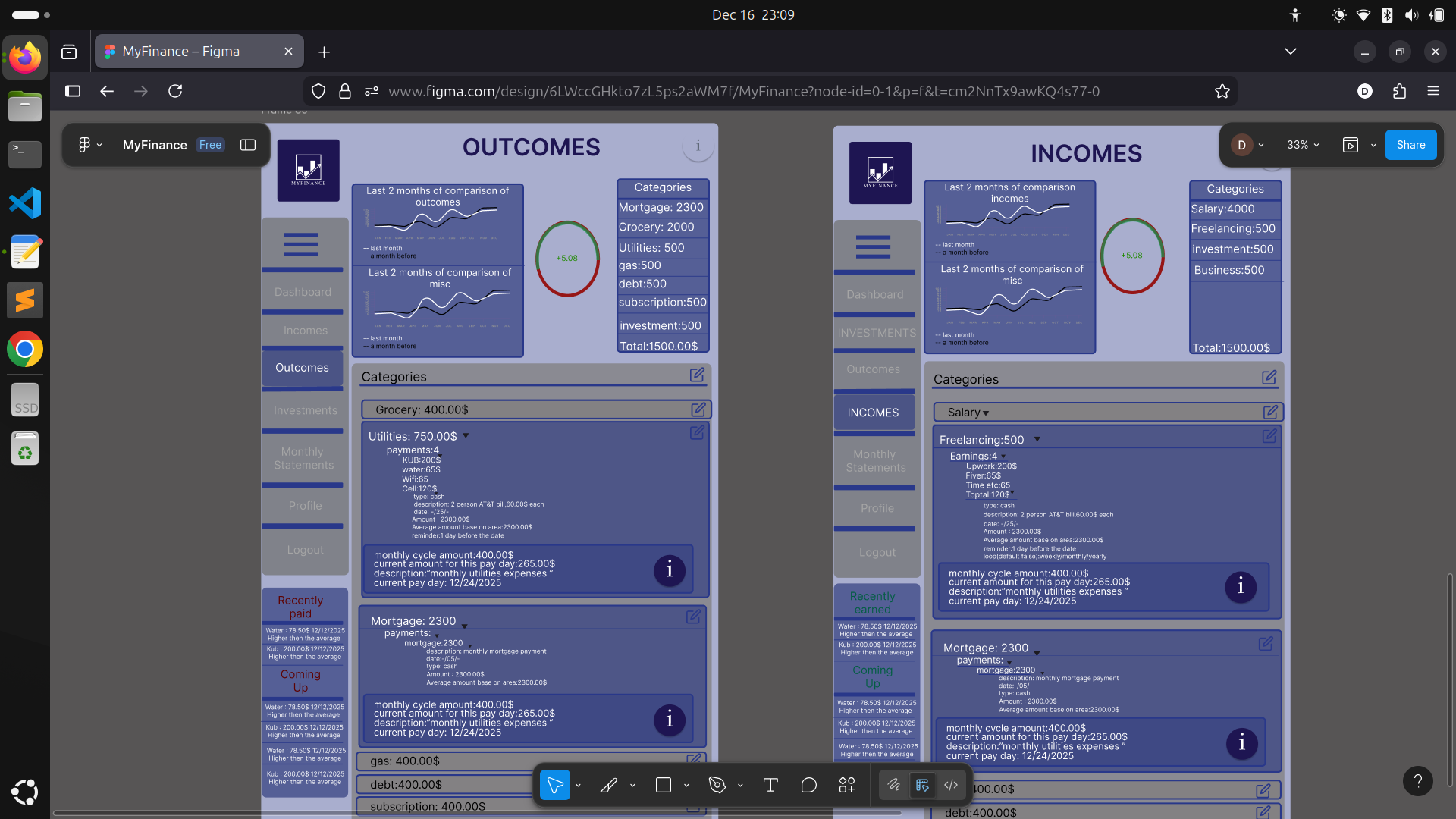
What’s Ready So Far
- Incomes and Outcomes pages:
Clean, organized, and user-friendly. I spent extra effort making sure users always know where to find their data and how to interact with it—no more confusion or clutter. - Clear component structure:
Each component is responsible for a single piece of data or UI, making the pages easy to read and navigate. - Dynamic modals:
- Edit categories (for customizing how you see your finances)
- Edit entries (for both payments and earnings)
- Sidebar and side components:
For seamless navigation and contextual data views. - Live data graph:
A visual snapshot of current financial status, always up to date. - Reusability:
All of this is built from just five small, modular, and reusable components, keeping things maintainable as the project grows.

The New Challenge: Investments Page
This area is a bit more complex—there’s a lot of data to surface and plenty of details to get right. Here’s my plan:
- Map out all possible fields and relationships for investments (assets, returns, performance over time, etc)
- Design flexible UI components that can handle a variety of investment types and summary stats
- Keep the data highly readable and well separated so users never feel overwhelmed
- Develop the backend logic to support robust data aggregation and reporting
What I’ve Learned (So Far)
- Don’t fear the design phase: The more effort I put into it, the fewer issues I have during development.
- Schema-first doesn’t always mean UI-second: Letting UI and data design evolve together makes for a more intuitive app.
- Bite-sized reusable components = clear code and clean layouts.
- Good data flow planning pays off— especially with complex domains like finance.
- Expect surprises: As soon as you work with real (or realistic) data, new requirements always surface!
Wrapping Up
#MyFinance #WebDevelopment #BuildInPublic #DevJourney #Frontend #Backend #React #TypeScript #PersonalProject #LearningByDoing #ShowYourWork